Keyboard Setup
Overview
The BM43 documentation is somewhat confusing. No matter what I did I couldn't get the keyboard to work with usevia.app. During my troubleshooting I flashed the VIA firmware, however the PCB might actually come with it pre-flashed as I discovered I was able to configure it with the Keychron configuration app instead of the official VIA app. If anyone figures out more details, let me know so I can update the docs!
1. Connect with the Keychron App
- Download the keyboard layout JSON file. I have a working one in the repo in ps-85/software/keyboard.
- Plug in the keyboard and navigate to https://launcher.keychron.com/.
- Click "Connect".
- Choose the BM43 in the dialog and click "Connect"
- When prompted choose the JSON file you downloaded in step 1.
2. Modify Key Mappings
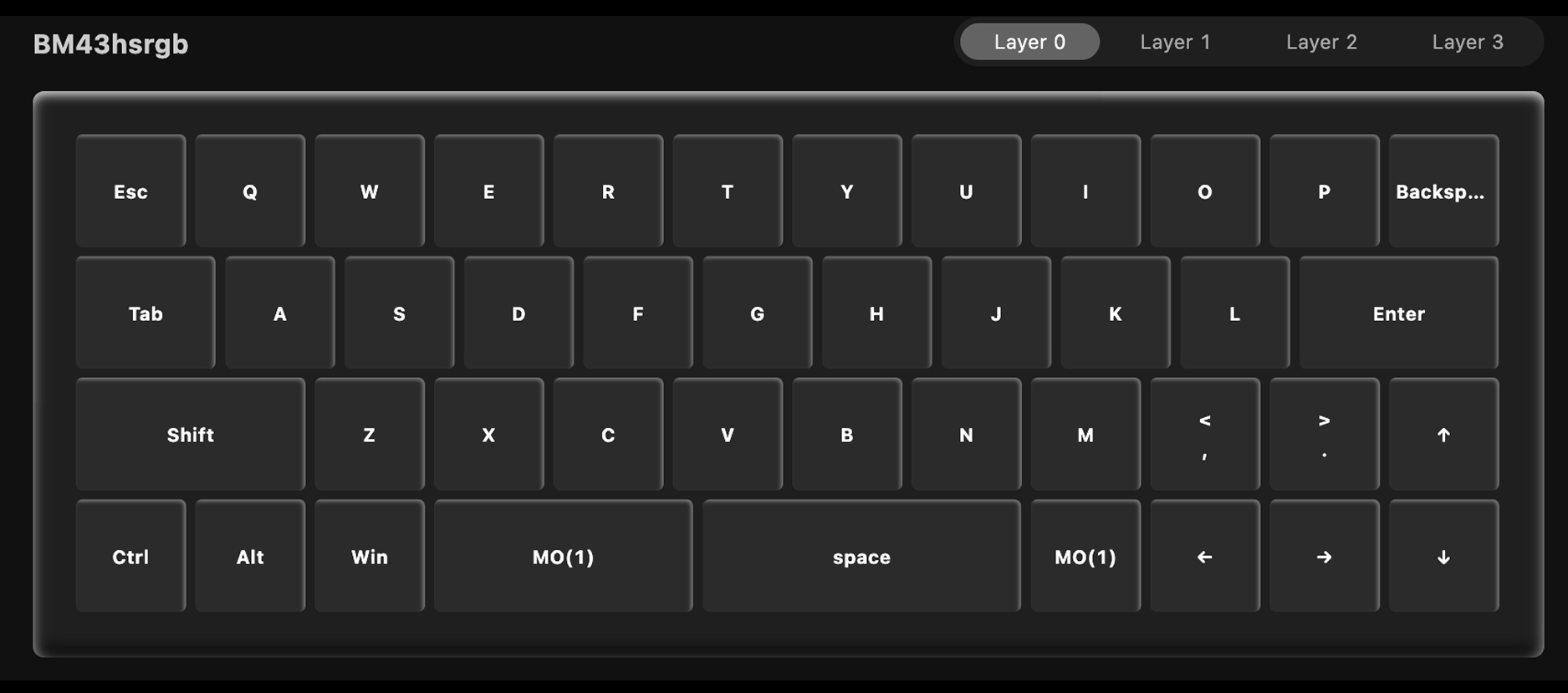
Since this is a 40% keyboard, you'll want to customize it in a way that makes sense to you. Here's what I did:
Default Layer (Layer 0)
Function Layer (Layer 1)
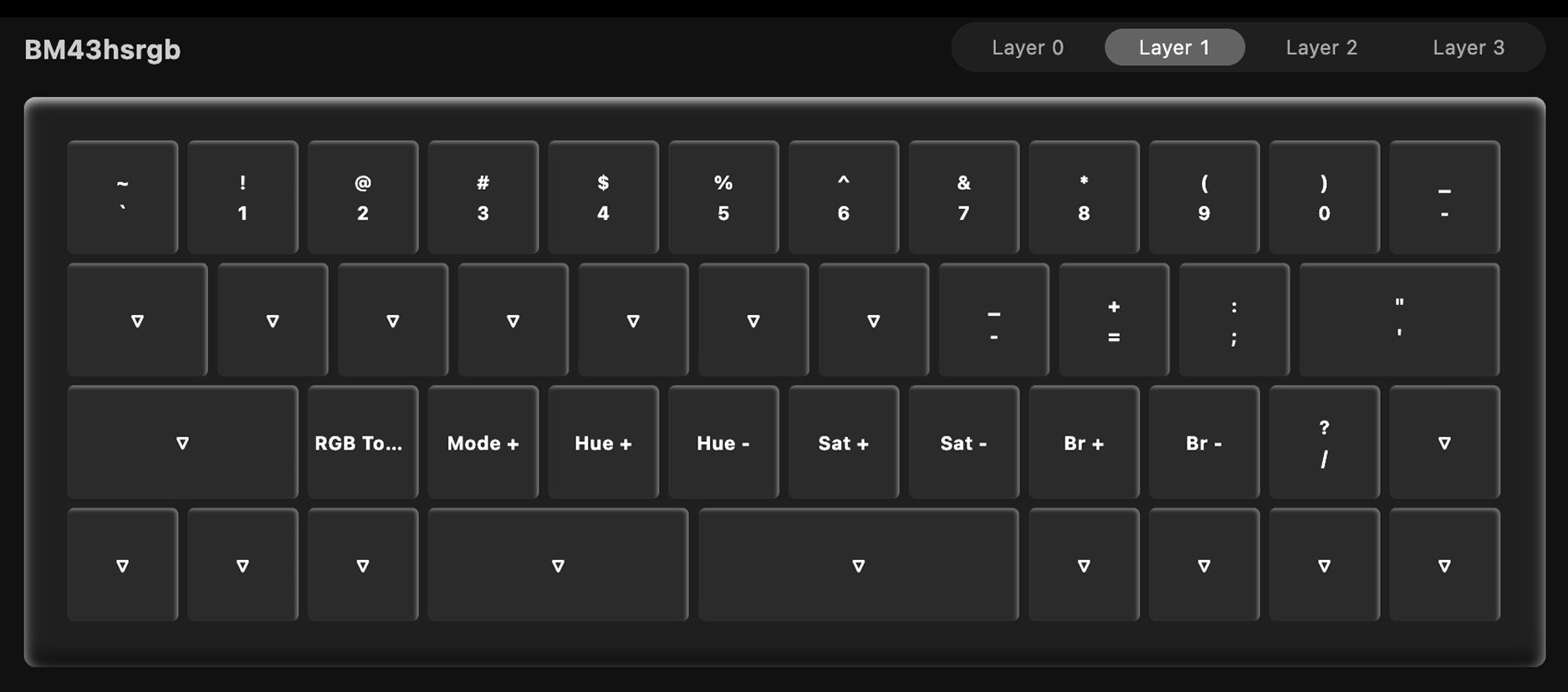
I also exported this out so you can use mine if you'd like, also in ps-85/software/keyboard.
3. Save Changes
Changes are saved automatically as you make them. When you're done, just unplug the keyboard and it's ready to go!